
Get the App
AI cinema.
In your pocket.
Put One Stop Flix on your home screen. It opens full screen in one tap, with no browser bar. Just the shows.
Free · No App Store needed

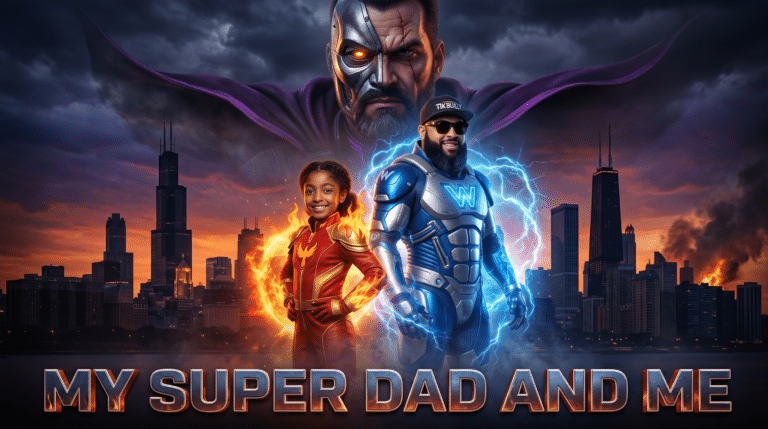 My Super Dad and Me▶ Play


Why get the app?
Same free shows. A better way to watch.
Full screen cinema
No address bar, no tabs. Just the show.
One tap away
Right on your home screen, next to your other apps.
Opens fast
Posters and pages load quicker every time you come back.
Free. Always.
No account, no subscription, barely any storage.
How to install
Takes about 10 seconds.
- Open in SafariGo to onestopflix.com/app in Safari.
- Tap ShareThe square with the arrow pointing up.
- Add to Home ScreenScroll down, tap it, then tap Add. Done.
- Open in ChromeGo to onestopflix.com/app.
- Tap Get the AppOr open Chrome’s ⋮ menu and tap Install app.
- Tap InstallOne Stop Flix lands on your home screen.
- Chrome or EdgeClick Get the App, or the install icon in the address bar.
- Mac SafariClick File, then Add to Dock.
- Open it anytimeIt sits with your apps, in its own window.
Questions
Is it really free?
Yes. Every series on One Stop Flix is free to watch, in the app or on the site. No account, no subscription.
Why isn’t it in the App Store?
It installs straight from our site, so there’s nothing to search for. It updates itself and barely takes up any space.
Does it work on my TV?
On a smart TV, watch at onestopflix.com in the TV’s web browser.
How do I remove it?
Same as any app: press and hold the icon, then tap Remove.
Your next favorite show is one tap away.
Original AI films and mini-series. New drops monthly.